
Colgate Tooth Defenders2.2.1 - Google Play
You'll be able to see results in few seconds.
Publisher Description
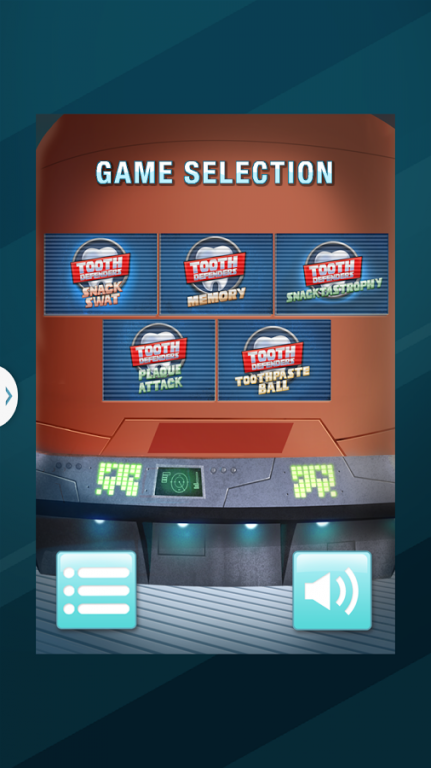
Help the Tooth Defenders protect your mouth from the evil Placulus and maintain good oral health in five fun games. It's up to you to keep your Tooth City clean and cavity free!
SNACK SWAT
Placulus and his goons are throwing sticky, gooey gumdrops into your mouth! Tap the gumdrops before they get in to have Tooth Defenders swat them away and protect your mouth from cavities. Be careful not to swat away any health treats by mistake!
MEMORY
Test your concentration in this classic game of memory by flipping over two cards to make a match. See how many you can matches you can make in a row to reach a new a high score!
SNACKTASTROPHY
Placulus is sending out waves of sticky snacks at your teeth! It's a game of speed and wit as you choose the right Tooth Defender to clean them up before the plaque builds up and overwhelms your mouth.
PLAQUE ATTACK
Help the toothpaste duo protect your teeth in this side-scrolling adventure. Keep up your oral health between trips to doctor Rabbit by stopping Placulus and his goons from getting past you! Get super power-ups from the dentist office to keep Placulus on the run!
TOOTHPASTE BALL
Have fun and knock them out with your killer smile, with this Tooth Defenders pinball game.
About Colgate Tooth Defenders
The company that develops Colgate Tooth Defenders is Colgate-Palmolive Company. The latest version released by its developer is 2.2.1.
To install Colgate Tooth Defenders on your Android device, just click the green Continue To App button above to start the installation process. The app is listed on our website since 2015-11-10 and was downloaded 0 times. We have already checked if the download link is safe, however for your own protection we recommend that you scan the downloaded app with your antivirus. Your antivirus may detect the Colgate Tooth Defenders as malware as malware if the download link to air.acolgate is broken.
How to install Colgate Tooth Defenders on your Android device:
- Click on the Continue To App button on our website. This will redirect you to Google Play.
- Once the Colgate Tooth Defenders is shown in the Google Play listing of your Android device, you can start its download and installation. Tap on the Install button located below the search bar and to the right of the app icon.
- A pop-up window with the permissions required by Colgate Tooth Defenders will be shown. Click on Accept to continue the process.
- Colgate Tooth Defenders will be downloaded onto your device, displaying a progress. Once the download completes, the installation will start and you'll get a notification after the installation is finished.
Program Details
System requirements
Download information
Pricing
Version History
version 2.2.1
posted on 2015-11-10
Disclaimer
Official Google Play Link
We do not host Colgate Tooth Defenders on our servers. We did not scan it for viruses, adware, spyware or other type of malware. This app is hosted by Google and passed their terms and conditions to be listed there. We recommend caution when installing it.
The Google Play link for Colgate Tooth Defenders is provided to you by apps112.com without any warranties, representations or guarantees of any kind, so access it at your own risk.
If you have questions regarding this particular app contact the publisher directly. For questions about the functionalities of apps112.com contact us.
